 Keycloak Powered by GlobalSolutions
Keycloak is an open-source Java-based Identity and Access Management (IAM) tool that allows users to sign in once and access multiple applications without re-entering their credentials. Keycloak works by storing and managing user information, permissions, and other configuration data. It also supports a range of authentication protocols, including OpenID Connect, SAML, and OAuth2.
Keycloak is a separate server that is managed on a network, and applications are configured to point to and be secured by this server. When a user tries to access a browser application, they are redirected from the application to the Keycloak authentication server where they can enter their credentials. This redirection isolates the user from the application, so the application never sees the user's credentials. Instead, the application is given a cryptographically signed identity token or assertion.
Keycloak can be integrated with common Identity providers like Google, Microsoft, and more.
We have ensured the image is hardened to be secured from all existing vulnerabilities.
Why Subscribe to Our Offering in AWS Marketplace
- We update the software constantly to the latest version to address security issues.
- Customers can kick-start their core work right away with our pre-packaged AMIs.
- Production-ready application stacks.
Accessing Your AMI from AWS Marketplace
To get started with your Keycloak stack:
- Subscribe: Purchase the Keycloak AMI from the AWS Marketplace.
- Connect via RDP:
- In the AWS Console, select your launched instance and click Connect.
- Choose RDP Client, upload your .pem key file, and decrypt the password using your private key.
- Download the .rdp file and connect using the username Administrator and the decrypted password.
Installation Paths and Versions
The Keycloak stack is installed in standard Windows directories for easy access:
| Category | Packages | Version | Location |
|---|---|---|---|
| Java | Java | 17 | C:\Program Files\java |
| Application Server | Keycloak | 24.0.0 | C:\Program Files\keycloak-24.0.0 |
Getting Started with Keycloak
Keycloak is packaged as a Windows service so it starts automatically when the system boots. It runs in dev mode, which enables HTTP access. Once you connect via RDP, open the browser (Edge) and navigate to http://localhost:8080. This will take you to the Keycloak admin console.
Accessing the Application
- Open your browser and go to
http://localhost:8080/admin. - Log in with:
- Username: admin
- Password: admin
- Open the Keycloak Admin Console.
- Click master in the top-left navigation bar, then click Create Realm.
- Enter a Realm name (e.g., "Test" or "dev") and save.
Integrating the Application
Once you create a realm, the next step is to configure the application you want authenticated through Keycloak. Navigate to the Clients option in the left menu within your realm and create a new client. A sample app is provided by Keycloak at https://www.keycloak.org/app/ — use its client ID when creating the client. Once the client is created, your application is integrated with Keycloak.
Adding Identity Providers
After integrating the application, the next step is to add Identity Providers. The following steps cover adding Google as an Identity Provider:
- Go to the Google Dev Console and create a project.
- Navigate to the OAuth consent screen page and provide the necessary information.
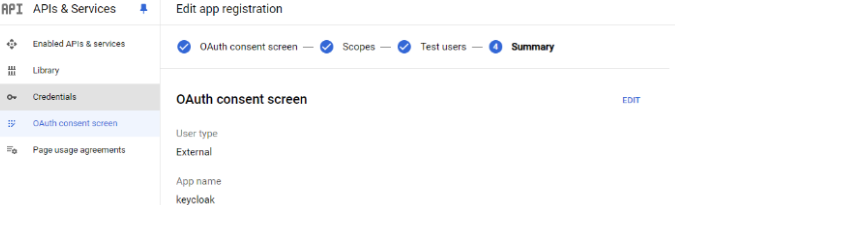
- Once OAuth consent is configured, create credentials — select OAuth client ID and choose Web application.
- Add the redirect URI from the Keycloak Google Identity Provider page.
- Copy the generated Client ID and Client Secret and enter them on the Keycloak Identity Provider page.
- Once these steps are complete, your application is authenticated through Keycloak.
AWS Cost Optimizer — CloudInsider
Our other popular offering is the AWS Cost Optimizer aka CloudInsider, available in AWS Marketplace. This service has helped our customers save significantly on AWS and other cloud spending. It is easy to subscribe and you can see the savings in minutes.
▶ Watch Demo Video Subscribe on AWS Marketplace
Support
For any questions or assistance with our AWS Marketplace offering, reach out to us at support@theglobalsolutions.net.